
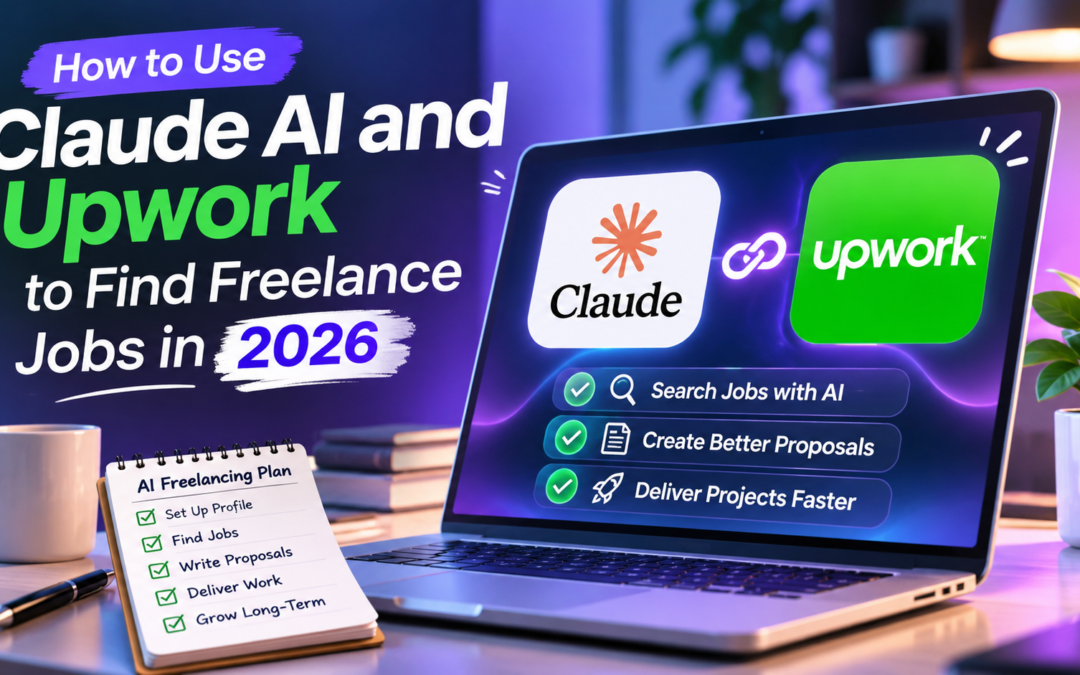
How to Use Claude AI and Upwork to Find Freelance Jobs in 2027
Published: November 18, 2027
Author: The Jiva Infotech
Category: Artificial Intelligence, Freelancing & Technology
Artificial intelligence is transforming how freelancers discover opportunities, communicate with clients, and deliver professional services. One of the most interesting developments in 2027 is the integration of Claude AI and Upwork, allowing freelancers to connect AI-powered assistance directly with their freelance workflow.
With Upwork’s official Model Context Protocol (MCP) integration, freelancers can search for relevant jobs, prepare personalized proposals, organize project requirements, and manage parts of their workflow through compatible AI assistants.
But can Claude AI actually help you build a successful freelancing business?
In this comprehensive guide, we’ll explain how the Claude AI and Upwork integration works, how to get started, and how to use AI responsibly to improve your freelancing productivity.
What Is Claude AI and Upwork Integration?
Claude AI is an artificial intelligence assistant developed by Anthropic. It can help professionals research information, write content, analyze requirements, generate code, and organize complex workflows.
Upwork is a global freelancing marketplace connecting businesses with independent professionals across industries such as software development, digital marketing, web design, eCommerce, and content creation.
In August 2027, Upwork announced its official MCP server, allowing compatible AI applications to connect with its marketplace.
MCP (Model Context Protocol) is a technology standard that allows AI assistants to communicate with external tools and services.
Through this integration, freelancers can use Claude to:
- Search Upwork for relevant freelance opportunities.
- Filter jobs according to skills, budgets, and experience.
- Analyze project descriptions and client requirements.
- Prepare personalized proposals.
- Review project details and client communications.
- Organize deliverables and project workflows.
The important distinction is that AI assists with these activities, while freelancers remain responsible for their decisions, commitments, and final work.
Why Claude AI and Upwork Matter for Freelancers in 2027
Freelancing involves much more than completing client projects.
Professionals must continuously search for opportunities, understand project requirements, prepare proposals, communicate with clients, and manage deadlines.
These activities can consume considerable time.
1. Faster Freelance Job Discovery
Instead of manually reviewing every job listing, freelancers can ask Claude to search Upwork using specific criteria.
For example, a Shopify developer could search for projects involving custom Liquid development, Shopify theme customization, or website performance optimization.
2. More Relevant Job Applications
AI can summarize job requirements and help freelancers compare opportunities against their actual experience.
This makes it easier to focus on projects they understand and can successfully deliver.
3. Better Proposal Preparation
Claude can assist with proposal structure, technical explanations, timelines, and clarification questions.
However, every proposal should be reviewed and personalized before submission.
4. Improved Project Productivity
Freelancers can use AI to create project checklists, organize client requirements, and prepare documentation.
These capabilities can reduce repetitive administrative work and allow professionals to spend more time on project quality.
How to Connect Claude AI With Upwork: Step-by-Step Guide
Getting started requires an Upwork account and access to Claude.
Step 1: Create or Optimize Your Upwork Freelancer Profile
Visit Upwork and register as a freelancer if you do not already have an account.
Complete your profile with accurate professional information, including:
- Professional title and specialization.
- Relevant technical and business skills.
- Work experience and portfolio projects.
- Professional overview.
- Hourly rate and availability.
- Education and certifications, where applicable.
SEO and freelancing tip: Your Upwork profile should clearly communicate your specialization rather than simply listing unrelated skills.
For example, “Shopify Developer | Liquid Expert | Custom eCommerce Solutions” is more specific than “Website Developer.”
Step 2: Open Claude AI
Visit Claude and sign in.
Claude supports connectors that allow it to interact with compatible external applications.
Step 3: Connect Your Upwork Account
Within Claude:
- Open Customize → Connectors.
- Search for Upwork.
- Select the official Upwork connector.
- Click Connect.
- Sign in to Upwork and authorize the requested access.
Alternatively, supported configurations can use the official MCP server URL:
https://mcp.upwork.com/mcp
Review the permissions carefully before authorizing the connection.
Step 4: Search for Freelance Jobs Using Claude
Once connected, you can ask Claude to search Upwork for jobs relevant to your expertise.
Example AI prompt:
“Search Upwork for recent Shopify development projects involving Liquid customization, Shopify theme development, and conversion optimization. Focus on projects matching my professional experience. Show the project requirements, available budgets, and important client expectations.”
Claude can retrieve matching opportunities and summarize relevant information.
Review the actual job listings before deciding which opportunities to pursue.
Step 5: Analyze Project Requirements
Before submitting a proposal, understand exactly what the client needs.
Ask Claude to help identify:
- Project objectives.
- Required technical skills.
- Expected deliverables.
- Estimated project complexity.
- Missing information.
- Potential technical challenges.
For example, if a client requests a Shopify redesign, you should determine whether the project requires a complete theme rebuild, existing theme customization, or only design improvements.
Step 6: Create a Personalized Upwork Proposal
Generic proposals rarely communicate a freelancer’s unique strengths.
Claude can help prepare a first draft based on the actual project description.
Example proposal prompt:
“Create a concise, professional Upwork proposal for this Shopify development project. Address the client’s requirements, explain my relevant experience using only the information I provide, and include two useful questions. Avoid generic introductions and unsupported claims.”
Before sending, verify every statement and add relevant examples from your real portfolio.
Upwork’s integration requires user confirmation for proposal submissions.
Best Freelancing Services to Offer With AI Assistance
AI can support many professional services, but the freelancer must still possess the knowledge needed to deliver reliable results.
1. Shopify Website Development
Shopify developers can use Claude AI to assist with:
- Liquid code troubleshooting.
- Shopify theme customization.
- Landing page planning.
- Product page improvements.
- Technical documentation.
- Front-end code review.
AI-generated code should always be tested before deployment to a live Shopify store.
2. AI-Assisted Content Writing and SEO
Content professionals can use AI to support keyword research, content outlines, metadata preparation, and editorial planning.
Human editing remains essential for originality, accuracy, and brand consistency.
3. Website Design and Development
Developers can use AI for component planning, HTML and CSS assistance, JavaScript debugging, and technical documentation.
4. Digital Marketing Services
Marketing freelancers can use AI to brainstorm advertising concepts, prepare campaign briefs, organize reporting, and analyze client-provided performance data.
5. AI Workflow Automation
Professionals with appropriate technical experience can build workflows that connect business applications, reduce repetitive tasks, and improve internal operations.
How Much Can Freelancers Earn Using Claude AI and Upwork?
There is no guaranteed income from AI-assisted freelancing.
Earnings depend on professional experience, service quality, project complexity, client demand, and successful project delivery.
For illustration, consider these hypothetical monthly revenue scenarios:
| Freelancing Scenario | Gross Monthly Revenue |
|---|---|
| 2 projects at $250 each | $500 |
| 4 projects at $500 each | $2,000 |
| 3 projects at $1,000 each | $3,000 |
| 4 retainer clients at $1,500 each | $6,000 |
These figures are examples, not verified market averages or income predictions. They exclude platform fees, taxes, software subscriptions, and business expenses.
The objective should be to build a sustainable professional service, not to depend on AI for instant earnings.
Common Mistakes to Avoid When Using AI for Freelancing
Applying for Jobs Outside Your Expertise
AI can generate convincing proposals, but it cannot replace the practical experience required to solve complex client problems.
Apply only for projects you can realistically complete.
Sending Generic AI-Generated Proposals
A proposal should demonstrate a genuine understanding of the client’s needs.
Always edit AI-generated drafts to reflect your own experience and communication style.
Delivering Untested AI-Generated Work
Whether AI generates website code, marketing content, or technical documentation, review the final output carefully.
Never deploy untested code to a client’s production website.
Ignoring Client Confidentiality
Avoid sharing confidential project information with AI tools unless you have appropriate authorization and understand the relevant data-handling requirements.
Expecting Immediate Results
Building a successful Upwork profile takes time, consistency, and strong client relationships.
AI can improve efficiency, but it does not guarantee job offers.
A Practical 30-Day AI Freelancing Action Plan
Week 1: Build Your Professional Foundation
Create or improve your Upwork profile, identify your strongest services, and prepare relevant portfolio examples.
Week 2: Research Opportunities
Connect Claude with Upwork, search for suitable jobs, and analyze recurring client requirements.
Use this information to refine your service offerings.
Week 3: Submit Quality Proposals
Prepare personalized proposals for carefully selected projects.
Focus on relevance and quality rather than sending large numbers of generic applications.
Week 4: Improve Your Freelancing Process
Review your application results, improve your portfolio, refine your proposal approach, and develop reusable project checklists.
Continue improving your technical and communication skills.
The Future of AI-Powered Freelancing
The integration of AI assistants with freelance marketplaces represents an important change in how professionals access work.
Freelancers increasingly have tools that can support opportunity discovery, project analysis, communication, and delivery planning.
However, the most valuable professionals will continue to be those who combine AI efficiency with genuine expertise.
For businesses, this means access to freelancers who can potentially deliver work through more efficient processes.
For freelancers, it creates opportunities to improve productivity while maintaining professional standards.
Frequently Asked Questions About Claude AI and Upwork
Can Claude AI Find Jobs on Upwork?
Yes. With the official Upwork connector, Claude can search for available freelance opportunities using criteria such as skills, job type, budget, and experience level.
Is the Upwork MCP Integration Free?
Upwork states that its official MCP connector is free to use. Standard Upwork fees and proposal Connects requirements still apply. Claude subscription costs may vary.
Can Claude Automatically Submit Upwork Proposals?
Claude can assist with preparing proposals through the official integration, but the user must review and confirm submission.
Can Beginners Use Claude AI for Freelancing?
Yes. Beginners can use Claude to learn workflows, research opportunities, and prepare proposals. However, they should only offer services they are qualified to deliver.
Does Claude AI Guarantee Freelance Income?
No. AI tools cannot guarantee clients, project awards, or earnings.
Can Shopify Developers Benefit From Claude AI?
Yes. Shopify developers can use Claude to assist with Liquid development, code troubleshooting, landing page planning, and documentation while maintaining human review and testing.
Final Thoughts: Should Freelancers Use Claude AI With Upwork?
Claude AI and Upwork can be a valuable combination for freelancers who want to improve their job-search process and project productivity in 2027.
The official integration makes it easier to connect AI assistance with real freelance opportunities.
However, long-term success still depends on professional expertise, honest communication, consistent delivery, and client satisfaction.
AI should enhance your skills rather than replace your responsibility for the work.
Looking for Professional Shopify Development Services?
At The Jiva Infotech, we help businesses create professional eCommerce experiences through Shopify development, custom website design, theme customization, and performance optimization.
Whether you’re launching a new Shopify store or improving an existing website, our team can help you develop solutions aligned with your business requirements.
Build a stronger online business with The Jiva Infotech.
Visit: https://thejivainfotech.com/
References and Further Reading
#ClaudeAI #Upwork #AIFreelancing #UpworkMCP #Freelancing2027 #ArtificialIntelligence #AITools #ShopifyDeveloper #FreelanceJobs #TheJivaInfotech #FutureOfWork #DigitalBusiness